

How to Choose Vandal-Resistant Hotline Phones for Office Buildings
Last Updated: November 17, 2026
Quick Summary
Choose vandal-resistant hotline phones by matching the enclosure and IP rating to each location, the dialing method to the caller, and the line type to your phone system. Lobbies suit stainless-steel models, while exposed car parks need rugged, weather-rated units like heavy-duty aluminum boxed phones.
- Match the IP rating to exposure: IP54 suits covered entrances, while IP66-67 suits open car parks.
- Auto-dial places the call on lift-off, with no keypad, so it suits distressed callers.
- Confirm analog or VoIP compatibility before buying, since auto-dial units cannot use digital PABX station ports.
- Test ring volume from where people stand, not from the desk, before handover.
- Inspect monthly for dial tone and cord fraying, quarterly for fixings, and annually for the full call path.
Table of Contents
- What Vandal-Resistant Hotline Phones Do in an Office Building
- Choosing an Emergency Phone for Office Building Entrances, Lobbies and Car Parks
- Direct-Dial Hotline Phones and Auto-Dial Options Compared
- Installing and Maintaining Office Hotline Phones Without Downtime
- Choosing the Right HQ Telecom Hotline Phone for Your Office
- Frequently Asked Questions
What Vandal-Resistant Hotline Phones Do in an Office Building
Vandal-resistant hotline phones for office buildings are rugged telephones built to keep one line open to emergency help, even when the unit is kicked, tampered with, or left exposed to weather.
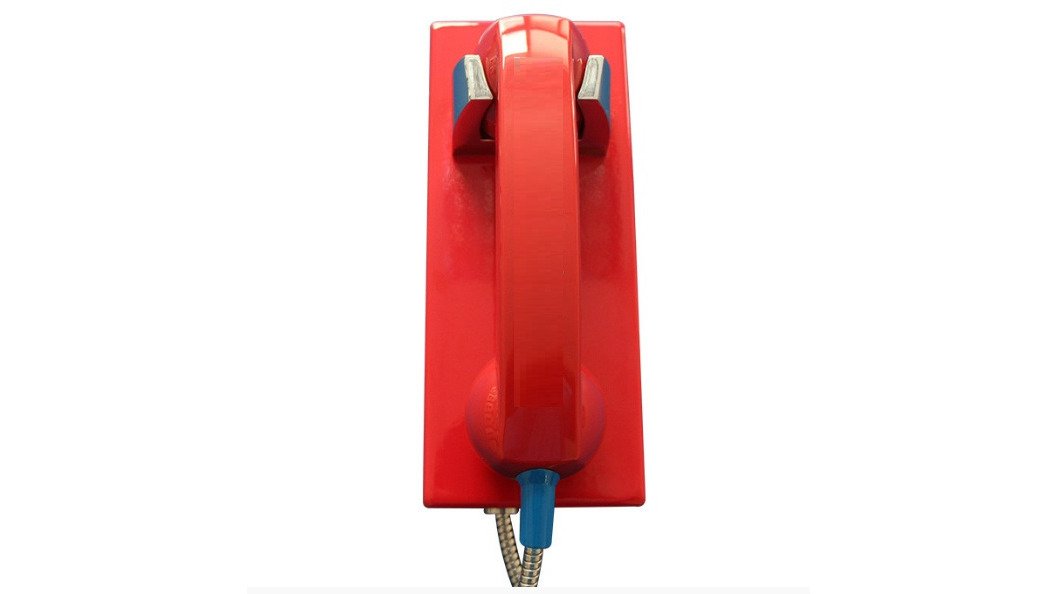
The HQ Telecom wall-mount phones are built with steel or stainless-steel housings, tamper-resistant fixings, and handsets with internal steel lanyards. You can compare the vandal-resistant hotline wall mount phone to see the specific model suited to entrances and car parks.
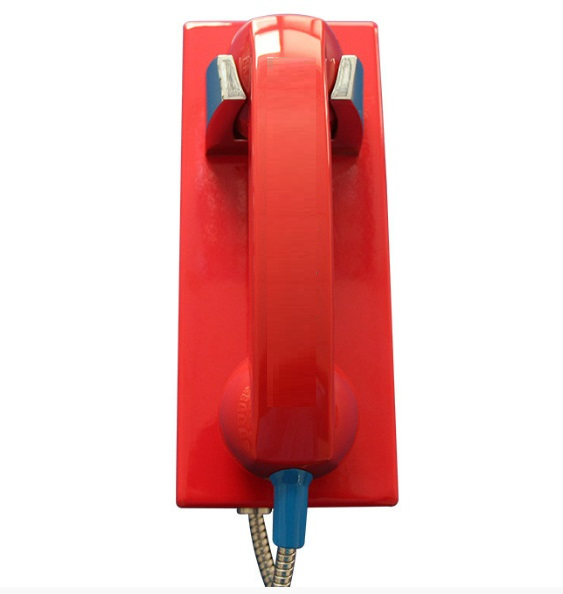
The main jobs these phones handle in an office setting include:
- Emergency and security calls from entrances, lobbies, and car parks
- Auto-dial to a fixed number, such as a security desk or 911, with no keypad needed
- Direct-dial hotlines for visitors or staff who need a person quickly
Our stainless-steel wall-mount phone is available as a no-dial model or with auto-dial, and a dialpad option can be added, so you can match the unit to its job.
Choosing an Emergency Phone for Office Building Entrances, Lobbies and Car Parks
In an office building, the right unit depends on where it hangs, who uses it, and what abuse or weather it will see. Use this location-by-location framework to narrow the specification before comparing models.
Start with four questions for each location:
- Who will use the phone? Visitors, staff, contractors, or the public after hours.
- What should happen when the handset is lifted? Auto-dial to security, direct-dial to reception, or receive-only.
- What is the worst-case handling? Kicks, graffiti, forced handset removal, or weather exposure.
Lobbies and reception areas
Lobbies are climate-controlled and supervised, so the risk is misuse rather than weather. A stainless-steel wall-mount phone with a full keypad or direct-dial button suits a reception wall; an auto-dial unit with no keypad suits after-hours security. Confirm ring volume from the far side of the lobby, not the desk.
Building entrances and vestibules
Entrances sit between indoor comfort and outdoor weather. IP54 protection covers splashing water and limited dust, which suits covered entrances. Tamper-resistant fixings matter at street level, and a back-entry cable, as on our Auto Dial Emergency Wall Phone, reduces the chance of the cord being pulled or cut.
Car parks and loading docks
These are the harshest office locations: rain, vehicle traffic, temperature swings, and vandalism. Look for a rugged housing and a handset with an internal steel lanyard, such as the models listed here. Our heavy-duty aluminum alloy boxed wall phone is rated IP66-67 and is listed for applications including tunnels, parking lots, and industrial sites.
Elevators and lift lobbies
Lift cars and lobbies are confined, high-traffic spaces. Check that the cord cannot be looped around fixtures and that the mounting height is reachable for wheelchair users. Coordinate with the lift contractor so phone wiring does not interfere with lift control cabling.
Stairwells and service corridors
These areas are often overlooked until an incident. A receive-only or auto-dial phone with a loud ringer is usually enough, but verify the ring is audible over door closers and HVAC noise. If the corridor is unheated, confirm the operating temperature range with the supplier.
Indoor versus outdoor installation and weather ratings
IP54 covers splashing water and limited dust, suiting covered entrances and sheltered lobbies. To match a weatherproof wall phone to your conditions, read which weatherproof emergency wall phone fits your site. See an example of an outdoor-rated unit in our weatherproof emergency phone box.
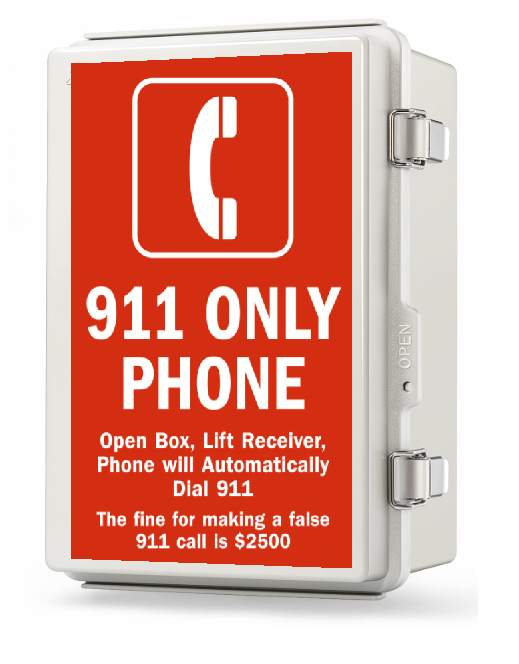
One trade-off matters. Our stainless-steel no-dial phone reaches its IP54 rating only when speaker holes are omitted, which limits how far away you can hear an incoming ring to about 10-15 feet. Buyers who need a louder ring outdoors should weigh that before ordering.
Analog, VoIP and SIP compatibility
Confirm your line type before you choose a model. Several units come in analog (PSTN) and IP versions.
Not every unit works with every system.
A simple rule: match the enclosure and IP rating to the location, the dialing method to the caller's state, and the line type to your phone system.
Direct-Dial Hotline Phones and Auto-Dial Options Compared
A direct-dial hotline connects a caller to a chosen number after they lift the handset or press a key.
Auto-dial places the call as soon as the handset is lifted, with no keypad needed.
| Option | Best for | Dialing method | Notes |
|---|---|---|---|
| Auto-dial wall phone | Car parks, exteriors | Lift handset, call preset number | Tamper-resistant, weather-rated |
| Stainless-steel no-dial | Lobbies, receive-only points | Receives calls only | Speaker holes reduce IP rating |
| Dial-pad stainless model | Staff areas | Full keypad | Optional auto-dial with external keypad |
| Heavy-duty aluminum boxed | Industrial sites | Programmable speed-dial buttons | IP66-67, one-year warranty |
Prices vary by model and configuration. Check current catalog pricing before ordering.
Installing and Maintaining Office Hotline Phones Without Downtime
A hotline phone is only as reliable as its installation and inspection routine. The steps below cover site assessment through handover, then a maintenance schedule.
Step 1: Site assessment
Walk each location and record the exposure (indoor, covered outdoor, exposed outdoor), mounting surface (drywall, concrete, steel column), line type, and nearest power or PoE switch. Note mounting height and wheelchair reach, and photograph the wall and obstructions before ordering.
Step 2: Mounting
Mount the enclosure to a solid surface using tamper-resistant fixings. For exterior units, seal cable entries and route the cable from the back where the model allows, reducing tampering and water ingress. Confirm the handset hangs clear of door swings, railings, and vehicle paths.
Step 3: Wiring and network setup
For analog units, confirm dial tone at the cable end before connecting. For VoIP units, provision the Ethernet drop, confirm PoE power, and load the SIP server address, credentials, and dial plan before mounting. Request pre-programming at order time so the destination number is set on arrival.
Step 4: Testing
Place a live test call from the installed phone to the destination desk. Verify audio on both ends, ring volume from the caller's standing position, and correct routing.
Watch out: a phone that rings but cannot be heard is as useless as one that does not ring.
Step 5: Handover
Label the phone with its destination number and the security desk contact. Give facilities staff a one-page sheet listing each unit, its location, line type, and test procedure. Record the installation date and any pre-programmed numbers.
Scheduled inspection checklist
A short routine catches most failures before someone needs the phone:
- Monthly: lift the handset and confirm dial tone or auto-dial; check the cord for fraying; confirm the keypad responds.
- Quarterly: inspect mounting fixings for looseness or tampering; clean the handset and keypad; verify ring volume from the caller's position.
- Annually: test the full call path to the destination desk; review firmware or configuration for VoIP units; confirm the destination number is still correct.
Responding to vandal damage
If a unit is damaged, note the date, photograph the damage, and report it to your supplier under warranty before attempting repairs. Replace damaged handsets or cords with the same model to preserve the IP rating. If the housing is compromised, take the unit out of service until it is repaired or replaced.
Lifecycle and total cost of ownership
Purchase price is only part of the cost. Plan for installation labor, mounting hardware, network drops and PoE capacity for VoIP units, replacement handsets and cords, and warranty administration.
Our auto-dial emergency wall phone can be pre-programmed before shipping, so the number is set when it arrives. Send us an email after completing your purchase to request this.
Choosing the Right HQ Telecom Hotline Phone for Your Office
Match the phone to the site, not the other way round. For a lobby or entrance with mild exposure, a stainless-steel wall-mount phone with the right dial option usually fits.
Our team can help you match a model to your site and confirm whether analog or VoIP suits your phone system.
Frequently Asked Questions
What are vandal-resistant hotline phones used for in office buildings?
Vandal-resistant hotline phones are wall-mounted or pedestal units placed where staff, visitors or residents need a direct line to reception, security or emergency services. HQ Telecom's range includes stainless-steel models with no dialpad, which can be used to receive calls, and auto-dial models that connect to a pre-programmed number when the handset is lifted. Their steel and aluminium housings and tamper-resistant fixings are designed to keep the phone working when it is exposed to misuse or weather.
Do vandal-resistant phones work with VoIP systems?
Yes, but it depends on the model. HQ Telecom's Vandal-Resistant Wall-mount Phone (HQ-J205) is available in an IP VoIP version that supports SIP signalling, has a web-based configuration interface and is powered over Ethernet. The stainless-steel wall-mount phone also offers an IP option. Analog models connect to standard landlines. Confirm which signalling your phone system uses before ordering, since an analog-only unit will not register with a SIP server.
What is the difference between a hotline phone and a regular desk phone?
A hotline phone is built to be used by anyone, often with no keypad, and it calls one pre-set number when lifted. A regular desk phone assumes trained users who dial numbers themselves and sits inside a protected office. Hotline phones add vandal-resistant housings, weather ratings such as IP54 or IP66, and tamper-resistant fixings. Those features matter in car parks, entrances and public lobbies, where a standard desk phone would be damaged or misused.
How should office building hotline phones be tested and maintained?
Test each hotline phone on a regular schedule by lifting the handset and confirming that it connects to the programmed number, then check that incoming calls ring at the expected volume. Inspect the handset cord, keypad, mounting screws and enclosure for damage, and check that the weatherproof seals are intact. Keep the auto-dial programming documented so the destination number is known if it needs to be checked or changed.
